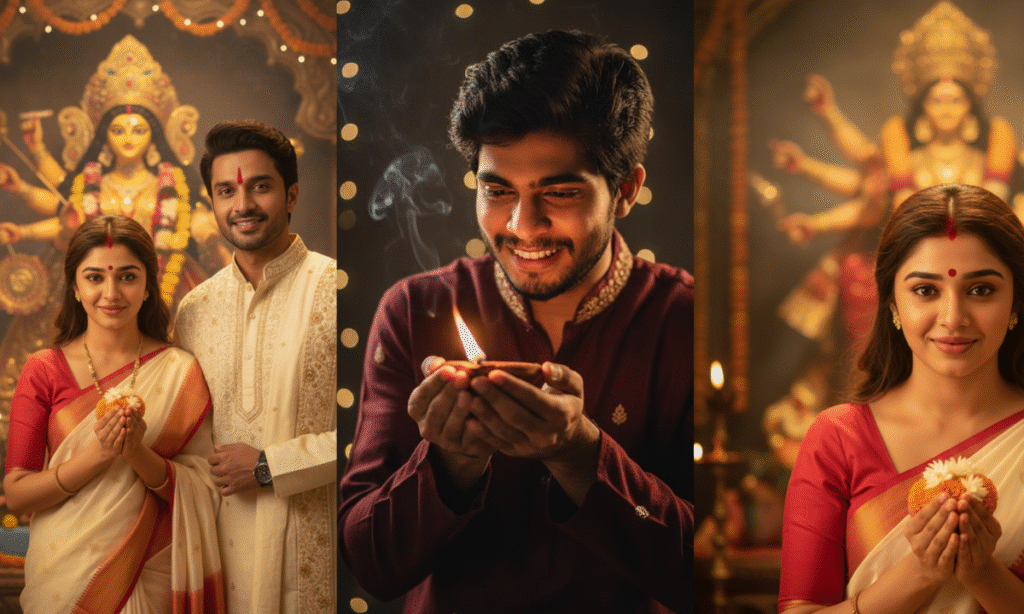
Diwali the festival of lights is all about brightness, tradition, and celebration. With Gemini AI, you can now capture the true essence of Diwali through breathtakingly realistic portraits that bring your festive imagination to life. Whether you want a royal ethnic look, a modern Diwali selfie, or a cinematic celebration theme, these Diwali Gemini AI photo prompts for boys will help you generate 4K-quality images that look straight out of a magazine.
Each prompt below is designed to be AI-ready just copy, paste, and upload your photo. Make sure to mention:
“Use my uploaded face without any changes.”
This ensures your identity stays real and natural while Gemini AI enhances everything else beautifully.
Prompt 1: Traditional Kurta Look with Diyas
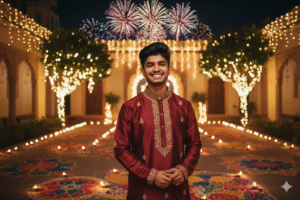
Create a 9:16 ratio, 4K ultra-realistic Diwali portrait of me wearing a royal silk kurta in deep maroon color with gold embroidery. I should be standing in a decorated courtyard filled with glowing diyas, rangoli designs, and fairy lights twinkling around. Add warm festive lighting to highlight my face and outfit, giving a soft golden glow. The background should include subtle fireworks in the night sky for a complete Diwali vibe. Use my uploaded face without any changes keep it 100% original.
Prompt 2: Modern Festive Selfie Look
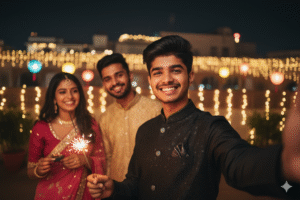
Generate a realistic 4K selfie of me celebrating Diwali with friends. I should be wearing a stylish black Indo-western outfit, holding a sparkler, smiling naturally. The background should feature soft bokeh lights, blurred festive decorations, and warm lighting for a cinematic selfie feel. Use my uploaded face without any changes to maintain full authenticity.
Prompt 3: Royal Palace Diwali Portrait
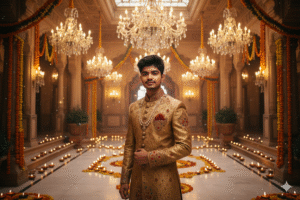
Create a stunning 4K portrait of me dressed like a royal prince during Diwali. I should wear a golden sherwani, standing inside a grand palace decorated with crystal chandeliers, flower garlands, and glowing diyas on marble floors. Add a soft sparkle effect for elegance and grace. Use my uploaded face without any changes and keep the lighting warm and cinematic.
Prompt 4: Street Diwali Celebration Scene
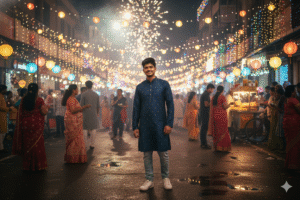
Generate a 4K-realistic photo of me standing in a busy Indian street during Diwali night, surrounded by bright lights, fireworks, and street decorations. I should be smiling naturally, wearing a casual festive kurta with jeans. Add reflections of fireworks in the background and a hint of smoke from firecrackers for realism. Use my uploaded face without any changes for a natural, lifelike result.
Prompt 5: Candlelight Close-Up Portrait
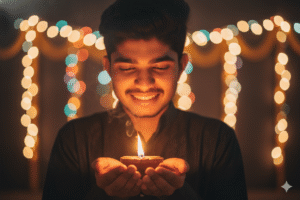
Create a detailed 4K close-up portrait of me holding a glowing diya in both hands. The lighting should be soft and warm, illuminating my face and giving a peaceful, spiritual Diwali vibe. Background should be blurred with fairy lights twinkling faintly. Use my uploaded face without any changes keep facial details 100% real and untouched.
How to Create These Diwali Photos Using Gemini AI
-
Go to Gemini AI
-
Log in with your Google account.
-
Copy any of the prompts from this post.
-
Upload your photo and paste the prompt.
-
Click Generate Image and wait for the magic to happen.
Tip: Always ensure you add “use my uploaded face without any changes” to preserve your natural look!
Conclusion
These Top 5 Diwali Prompts for Gemini AI Boy bring out the perfect mix of culture, creativity, and realism. Whether you prefer a traditional royal vibe or a modern festive look, Gemini AI helps you capture your best self in every frame — bright, confident, and ready to celebrate the festival of lights in 4K style!

Hi, I’m Amar Mahaseth, the creator of FokousAI.tech, where I share the best Gemini AI photo prompts, AI tools, and creative ideas to help people make stunning and realistic AI images. I love exploring how artificial intelligence can turn imagination into reality, and I write about topics like Gemini AI, Midjourney, and other trending AI tools in a simple, easy-to-understand way. My goal is to make AI creativity accessible to everyone and share fresh AI prompt ideas every week.